
How Much Does AI Automation Cost for a UK Small Business?
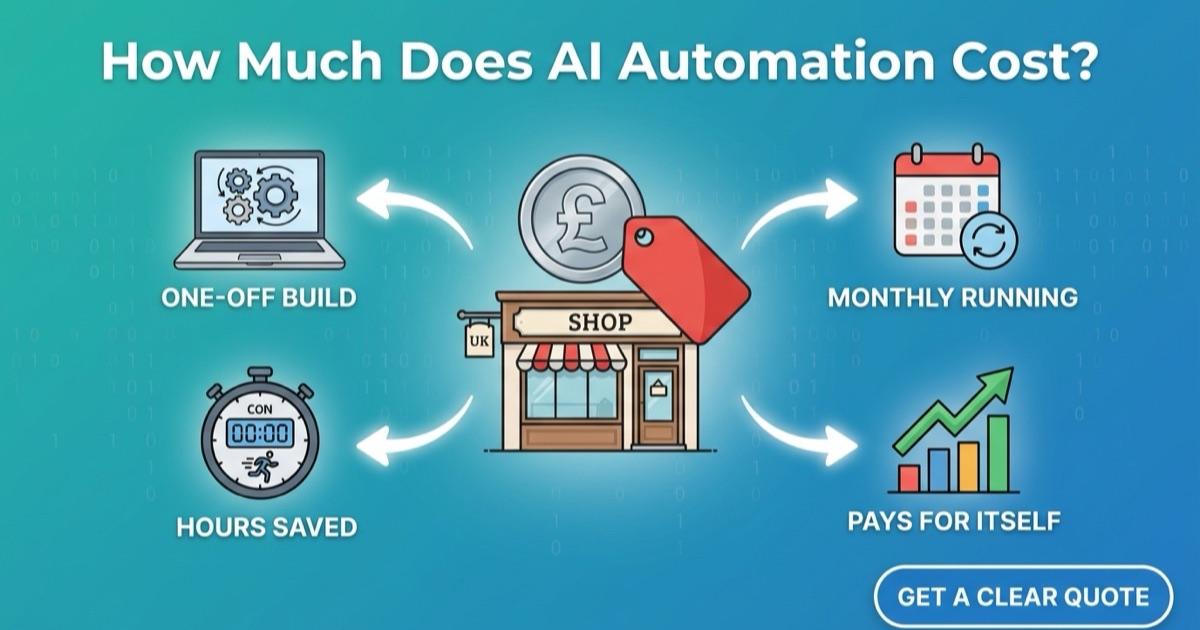
AI automation for a small business usually costs two things: a one-off fee to design and build it, and a smaller monthly amount to keep it running. The build is priced on how many steps, tools and decisions are involved, and the running cost covers software subscriptions, AI usage and support. A single well-chosen automation often pays for itself within months, because it replaces hours of repeated admin every week.
That's the short answer. Whether you run a shop in Chesterfield, a trades business in Derbyshire or an office in Sheffield, here's what actually sits behind the number, so you can work out what's sensible for your business before you speak to anyone.
What are you actually paying for?
Almost every AI automation project breaks down into the same parts:
One-off costs
- Discovery and scoping: mapping how the process works today and deciding what to automate.
- Design and build: building the automation, connecting your tools, and writing the AI prompts and rules.
- Testing and launch: running it against real examples before it goes live.
Ongoing costs
- Software subscriptions: the automation platform, CRM, phone or chat tools the automation runs on.
- AI usage: the AI model's charges, usually billed per conversation, call minute or message, so it grows with use.
- Support and changes: fixing issues and adjusting the automation as your business changes.
If you already pay for a CRM, calendar or invoicing tool, the automation normally builds on top of those rather than replacing them, which keeps the ongoing cost down.
What makes an automation cost more or less?
The price moves with complexity, not with the size of your business. The main factors are:
- How many tools it touches. Moving data between two tools that already have good connections is quick. Connecting five tools, or one with no ready-made integration, takes longer.
- How many decisions it makes. "Send a review request when a job is marked complete" is simple. "Qualify this lead, check the calendar, book the right person and follow up if they go quiet" has more branches to build and test.
- Whether it talks to customers. A voice assistant or chatbot that speaks for your business needs more care with tone, escalation and edge cases than a behind-the-scenes admin task.
- How clean your data is. Duplicate customer records or information spread across spreadsheets usually need tidying before automation can rely on them.
- Volume. AI usage costs grow with the number of calls, chats or messages handled, so a busy business pays more to run the same automation, but also saves more.
How the main types of automation compare on cost
- Simple workflow automations such as review requests, invoice reminders or form-to-CRM entry are the cheapest to build and run. See workflow automation.
- Joining up your systems so your CRM, calendar and invoicing share one set of data sits in the middle, depending on how many tools are involved. See system integration.
- AI sales assistants that respond to and qualify new leads cost more to build because they make decisions, and have a monthly AI usage cost. See AI Sales Assistant.
- AI voice and chat assistants that talk directly to customers are usually the largest builds, with running costs tied to call minutes or conversations.
How do you work out whether it's worth it?
The simplest test is time saved multiplied by what that time costs you. Take one task and estimate:
- How many hours a week your team spends on it.
- What an hour of that person's time costs, including wages and on-costs.
- Any revenue you lose because of it, such as missed calls or leads answered too late.
If someone at a Sheffield lettings agency spends five hours a week copying enquiries into your CRM and chasing them up, that's around 250 hours a year. Put a value on those hours, add any jobs that slipped through the gaps, and compare the total to the build and running costs. Missed revenue is often the bigger number, which is why lead response is one of the best first automations.
Where should a small business start?
Start with one process that is repetitive, happens often and follows the same steps each time. Good first candidates are:
- replying to and qualifying new enquiries
- booking appointments
- sending review requests after a job
- moving information from one system to another
One automation that works well is worth more than five half-finished ones. Once the first is running, you'll have real numbers to judge the next one against.
Are there hidden costs to watch for?
Ask any provider about these before you commit:
- Per-use charges. Make sure you know how AI usage is billed and roughly what it will be at your volume.
- Who owns the accounts. Automations should run on accounts in your business's name, so you're not locked in.
- Changes after launch. Processes change. Check what a change request costs and how quickly it's handled.
- Data protection. Customer data must be handled in line with UK GDPR. Our privacy policy sets out how we approach it.
SystemWyze.AI builds AI automation for small and medium businesses across Chesterfield, Sheffield, Derbyshire and South Yorkshire. If you'd like a clear quote for your own processes, get in touch and we'll map it out with you.
Frequently asked questions
- Is AI automation affordable for a sole trader or very small business?
- Yes. Small, focused automations such as review requests or automatic enquiry replies are inexpensive to build and cheap to run, and they're often where the biggest time savings are for a one or two person business.
- Do I have to replace my existing software?
- No. Most automations connect the tools you already use. Replacing software is only worth it if a tool can't be connected at all.
- How long does it take to build?
- Most small business automations go live within a few weeks, from the first discovery call to launch.
- Can I get a fixed price?
- Every business's processes are different, so we scope each project first and then give you a clear quote for the build and the monthly running costs.
Services mentioned in this article
Streamlines core workflows to reduce costs and improve accuracy.
Workflow AutomationConnects systems and automates repetitive tasks.
System IntegrationUnifies business tools into a cohesive ecosystem.
AI Sales AssistantAutomates lead qualification, appointment scheduling, and prospect nurturing.
AI Voice SolutionsNatural-language voice assistants for customer inquiries and booking.
AI ChatbotsInstant support handling common questions with escalation capability.
Keep reading
- How AI Automation Strengthens Your Local SEO
Local SEO isn't just keywords on a page. Here's how AI voice, chat, and workflow automation can improve the signals that actually influence local search rankings.
- How to Stop Losing Leads That Come In After 5pm
Evening and weekend enquiries go to whoever replies first. How small businesses in Chesterfield and Sheffield can answer, qualify and book them automatically.